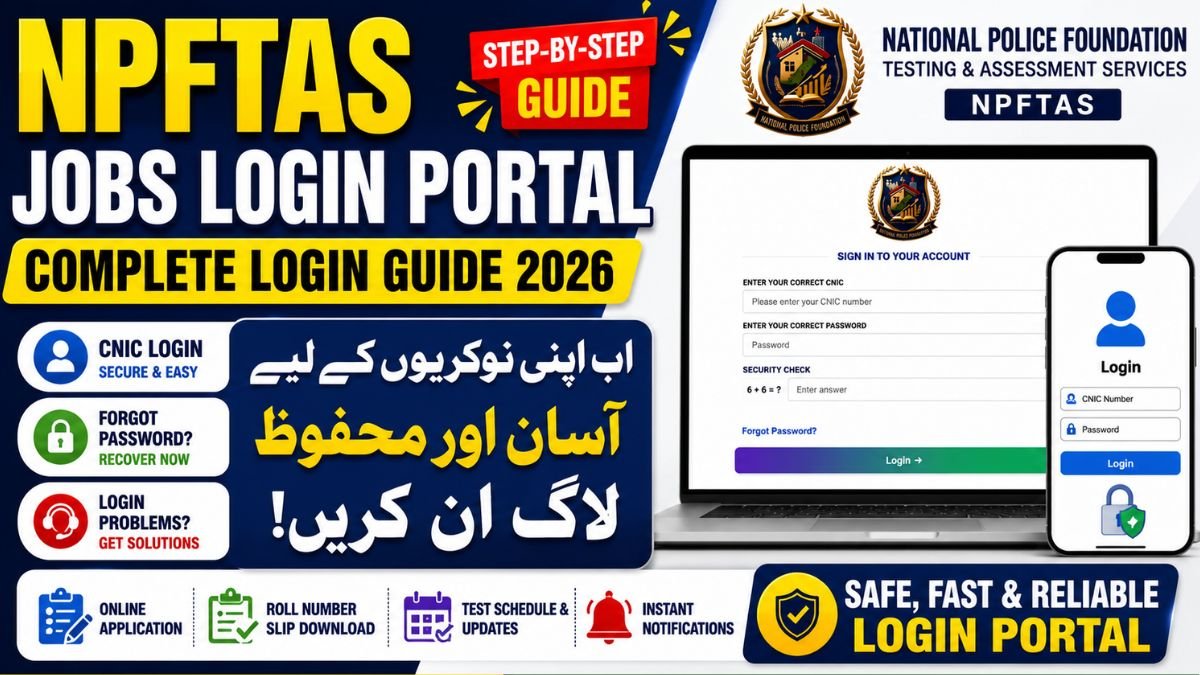
Looking for the NPFTAS Jobs Login Portal? You can access your National Police Foundation Testing & Assessment Services (NPFTAS) account through the official ictpjobs.com portal. Applicants can log in using their CNIC and password to submit applications, download roll number slips, check test schedules, and view recruitment updates.
NPFTAS Jobs
If you have applied for ICTP Jobs 2026 (Islamabad Capital Territory Police Jobs), you can manage your application through the NPFTAS Jobs Login Portal. The portal allows candidates to log in using their CNIC and password, complete their application, download roll number slips, check test schedules, and receive recruitment updates.
If you are facing issues such as the NPFTAS login button not showing, incorrect password errors, or account access problems, this guide explains every solution.
What is the NPFTAS Jobs Login Portal?
The NPFTAS Jobs Login Portal is the official recruitment platform managed by the National Police Foundation Testing & Assessment Services. It allows candidates to complete the entire recruitment process online.
Through the portal, applicants can:
- Apply for National Police Foundation jobs
- Sign in using CNIC and password
- Download roll number slips
- Check application status
- View test dates and announcements
- Recover forgotten passwords
- Update personal information
The portal is available online 24/7 for registered applicants.
How to Login to NPFTAS Jobs Portal
Follow these simple steps to access your account.
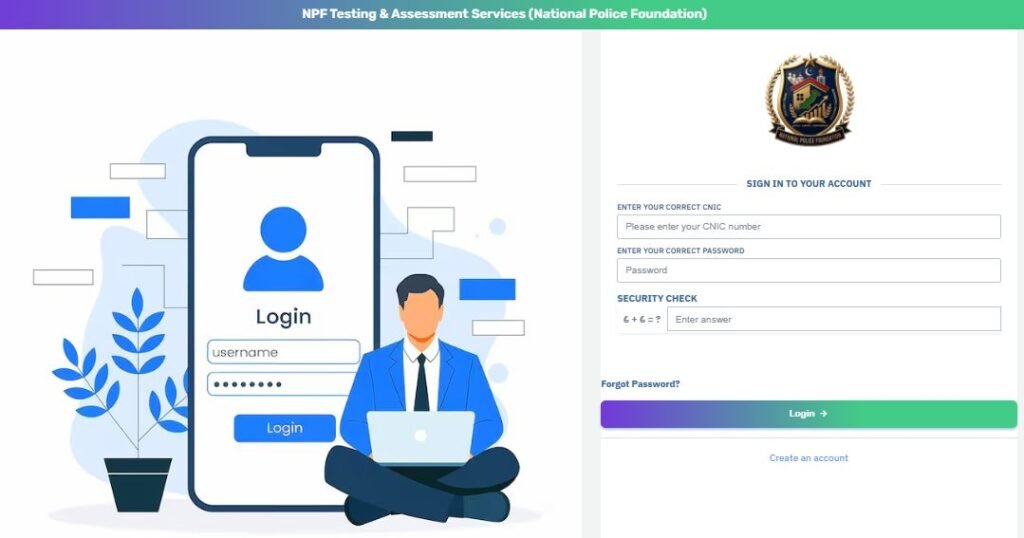
Step 1: Visit the Official Portal
Open the official NPFTAS Jobs Login Portal at ictpjobs.com.
Step 2: Enter Your CNIC
Type your valid CNIC number without spaces or dashes.
Step 3: Enter Your Password
Enter the password created during registration.
Step 4: Complete the Security Check
Solve the simple math question displayed on the screen.
Step 5: Click Login
Press the Login button to access your dashboard
NPFTAS Login Requirements
Before signing in, make sure you have:
- Registered account
- Valid CNIC
- Correct password
- Stable internet connection
- Updated web browser
- Completed security verification
Meeting these requirements helps prevent login errors.
Forgot NPFTAS Password?
If you cannot remember your password, follow these steps:
- Open the login page.
- Click Forgot Password.
- Enter your registered CNIC.
- Follow the verification instructions.
- Create a new password.
- Login using your updated credentials.
Always use a strong password for better account security.
NPFTAS Login Button Not Showing – Easy Fixes
Many applicants report that the Login button is missing or does not appear.
Try these solutions:
Clear Browser Cache
Old cache files may prevent the page from loading correctly.
Use Google Chrome
Chrome provides the best compatibility with the portal.
Disable Browser Extensions
Ad blockers and security extensions may hide page elements.
Refresh the Page
Press Ctrl + F5 for a hard refresh.
Enable JavaScript
The login page requires JavaScript to function properly.
Try Another Browser
Use Microsoft Edge, Firefox, or another updated browser.
Open the Website on Another Device
Sometimes mobile browsers work better than desktop browsers.
Check Internet Connection
Slow internet can stop website elements from loading.
Wait During High Traffic
The portal may temporarily slow down during job announcements.
Common NPFTAS Login Problems
Applicants may experience several login issues.
Incorrect CNIC
Ensure your CNIC matches the one used during registration.
Wrong Password
Double-check uppercase and lowercase characters.
Security Check Error
Enter the correct answer to the math question.
Account Not Registered
Create a new account if you have not registered previously.
Server Busy
Heavy traffic may temporarily affect the portal. Try again later.
Benefits of the NPFTAS Jobs Portal
The online portal offers several advantages.
- Fast online applications
- Secure account management
- Instant recruitment updates
- Easy roll number slip download
- Transparent recruitment process
- Quick password recovery
- Simple profile management
These features make the recruitment process easier for applicants across Pakistan.
Tips for a Successful Login
Use these best practices to avoid login problems.
- Keep your CNIC handy.
- Save your password securely.
- Use an updated browser.
- Complete the security verification carefully.
- Avoid multiple login attempts with incorrect details.
- Keep your internet connection stable.
Frequently Asked Questions (FAQs)
How do I login to the NPFTAS Jobs Portal?
Visit the official portal, enter your CNIC, password, complete the security check, and click the Login button.
Why is the NPFTAS login button not showing?
This usually happens because of browser cache, JavaScript issues, browser extensions, or temporary server problems. Refresh the page, clear cache, or try another browser.
Can I recover my forgotten password?
Yes. Click Forgot Password on the login page and follow the password recovery process.
Can I login using my mobile phone?
Yes. The NPFTAS portal works on both smartphones and desktop computers.
What should I do if my CNIC is not accepted?
Verify that you entered the same CNIC used during registration. Remove spaces and dashes before submitting.
Final Words
The NPFTAS Jobs Login Portal makes the National Police Foundation recruitment process simple and secure. By logging in with your CNIC and password, you can apply for jobs, monitor your application, and download important recruitment documents. If you encounter login issues, most problems can be resolved by clearing your browser cache, updating your browser, or using the password recovery option. Always use the official portal and keep your login credentials secure for uninterrupted access.